
Millions of customers utilize Amazon’s product search engine to locate their desired purchases every single day. As a result, Amazon assigns each product a unique “ASIN” (Amazon Standard Identification Number) for easy identification and to help users find the right product.
As a seller, it is critical to understand how ASINs work, both when introducing new products and managing existing stock. Understanding how ASINs function will help you optimize your business’s inventory management and perform successful advertising campaigns.
Amazon Standard Identification Number (ASIN): What is it
The Amazon Standard Identification Number (ASIN) is a 10-character alphanumeric code. The system automatically generates a unique ASIN whenever a new product is listed on Amazon. This identifier is the primary way Amazon tracks inventory, manages product variations, and organizes its vast catalog.
New ASIN vs. Existing ASIN: Which Do You Need?
When launching a product, your strategy depends on whether it already exists on the Amazon marketplace.
Create a New ASIN: If you are a private label owner or an exclusive seller launching a product that has never been listed on Amazon before, you must create a new listing. Amazon will generate a unique ASIN specifically for your product.
Use an Existing ASIN: If you are a retailer, doing dropshipping on Amazon, or a reseller selling a product already available on Amazon, you must list your offer against the existing ASIN. Amazon strictly prohibits duplicate listings for the same product to ensure a clean shopping experience.
How to Find a Product’s ASIN
There are three simple ways to locate an ASIN:
1. Check the Product Detail Page
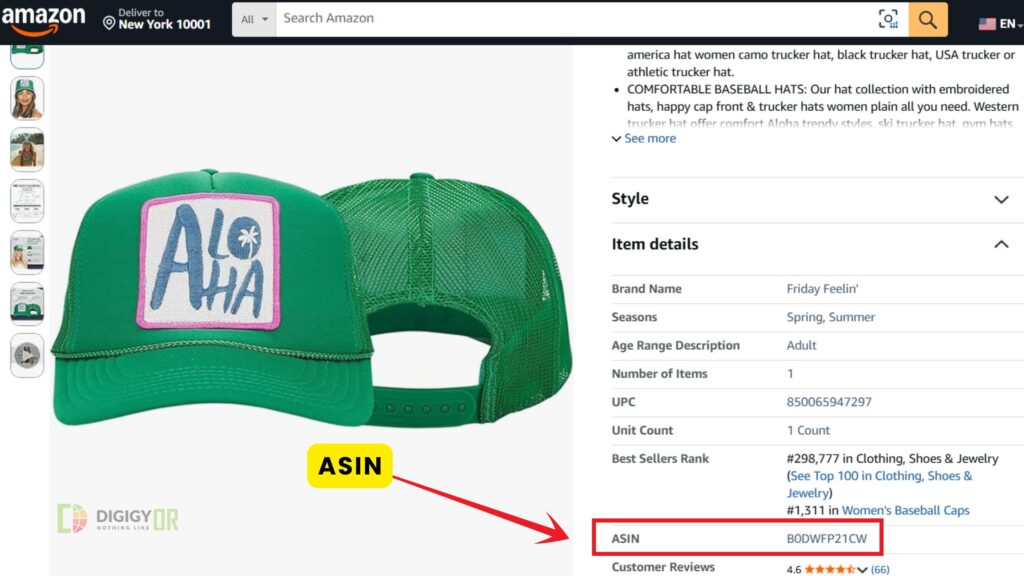
Navigate to the product listing on Amazon and scroll down to the “Product Information” or “Additional Information” section. You will see the ASIN listed there.
2. Check the Product URL
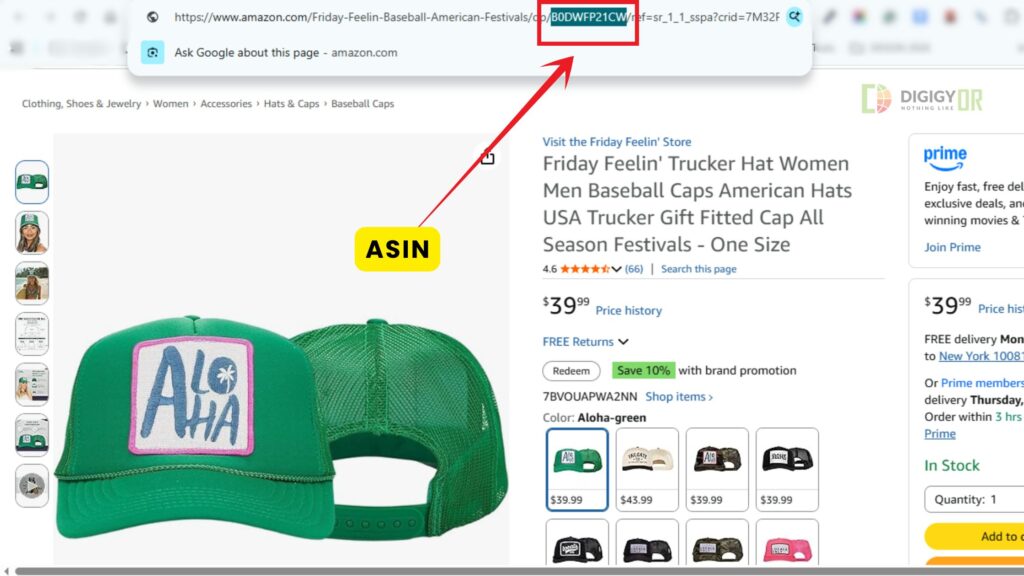
The Amazon URL structure also includes the ASIN of every product. Take a good look at the product URL, and you will easily find the ASIN.
Here is an Amazon ASIN number example in a live URL:
https://www.amazon.com/Gtheos-Bluetooth-Headphones-Detachable-Microphone/dp/B0B4B2HW2N/
The ASIN in the product URL is: B0B4B2HW2N
3. Use Third-Party Tools
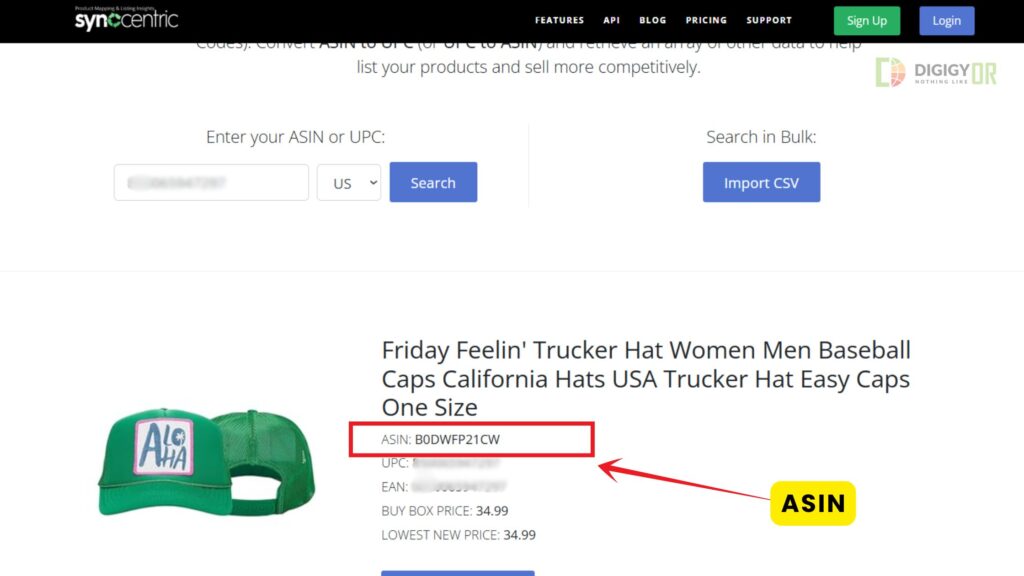
For bulk lookups, tools like Asintool.com, and Synccentric let you enter UPCs, EANs, or model names to retrieve multiple ASINs from Amazon’s database simultaneously.
Steps to Create a New ASIN
To generate a new ASIN, you must set up a fresh product listing in Seller Central.
Yes, a seller needs to set up a new product listing on Amazon to create a new ASIN. For this, start by adding a listing on Amazon, fill in all the mandatory input fields, and submit it. Once the listing is created, Amazon will assign a unique ASIN to the listing.
There are two methods for listing a product on Amazon.
- Manual Listing: Ideal for small batches. You enter product details field-by-field directly into the Seller Central interface.
- Inventory Templates: The most efficient method for bulk uploading. Download the inventory template from Seller Central, populate it in Excel, and upload the file. Amazon’s system will verify the data and generate your ASINs within a few hours.
Protecting Your Brand with “Brand Registry”
If you are a brand owner, enrolling in the Amazon Brand Registry is essential. It gives you ownership of your ASINs, preventing unauthorized sellers from piggybacking on your listings. Once approved, you gain access to enhanced features like Amazon A+ Content design and Brand Story modules, which significantly improve conversion rates.
To register a brand on Amazon, you must meet certain Amazon terms. It includes company registration, trademark, etc. After the brand registry approval, open a customer support ticket and send them all your ASINs. Get them gated.
Reverse ASIN lookup
Reverse ASIN lookup is the industry standard for competitive research. As explained, each product listing has a unique ASIN number. Using reverse ASIN lookup tools such as ASINseed and Helium 10, you can spy on the competition. This will help you gain insight into keywords from where they gather traffic through Amazon search pages. Also, you can spy on their sponsored keywords.
This information will help you optimize the listings and run ads on potential keywords to gain the most from the Amazon PPC campaign.
Scale Your Amazon Business with Expert Support
Navigating Amazon’s catalog requirements can be complex. At DigiGyor, we provide comprehensive Amazon account management services to help you structure your listings, protect your brand, and grow your sales. Contact us today to optimize your store for success.