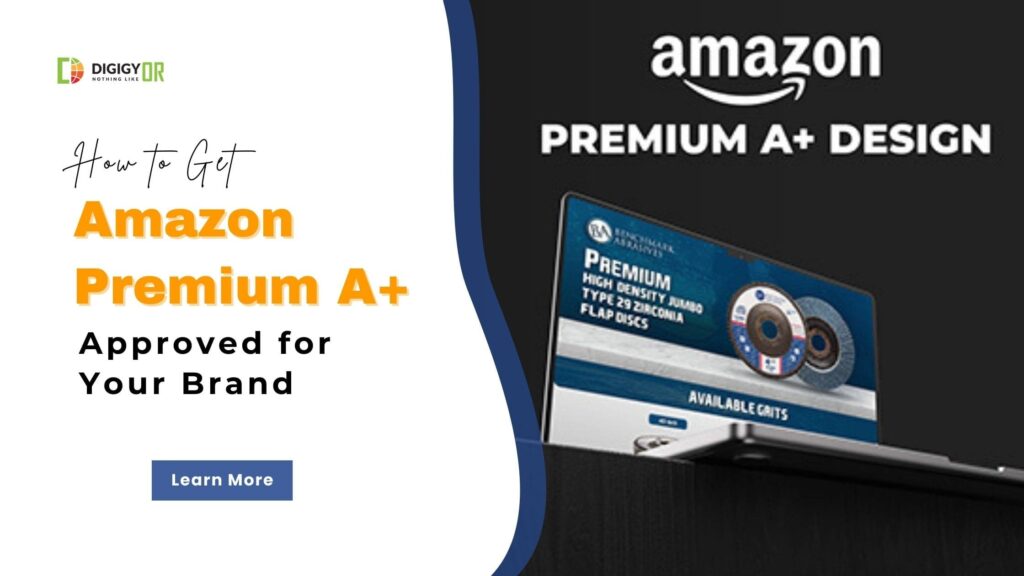
Have you noticed your competitors using sleek, interactive product listings with videos and carousels? If you haven’t received your Premium A+ Content invite yet, you are likely missing out on a 20% conversion rate boost.
In 2026, Amazon made “Premium A+ or A++” content more accessible to third-party sellers, but the eligibility criteria have become stricter regarding account activity. This guide will walk you through exactly how to unlock and get approved for Premium A+ Content this year.
What is Premium A+ Content (A++)?
Amazon Premium A+ Content is an advanced feature of the A+ Content Manager. While Basic A+ uses static images and text, Premium A+ offers a cinematic, interactive shopping experience.
Historically, this was an “invite-only” feature for high-level vendors costing upwards of $250,000. Today, Amazon provides it free of charge to brand-registered sellers who fulfill specific performance and content milestones.
Premium A+ vs. Basic A+ at a Glance
| Feature | Premium A+ Content | Basic A+ Content |
| Number of modules | Up to 7 (from 19+ module types) | Up to 5 |
| Interactive hotspots | Yes (Hover Hotspots) | No (Only Static) |
| Video Module | Yes (Full-width & Looping) | No |
| Image carousel | Yes | No |
| Q&A module and Navigation | Yes (Premium Q&A) | No |
| Full-width imagery | Yes | Limited |
| Conversion impact | Up to 20% lift | 8% lift |
| Cost | Free (if eligible) | Free |
It’s important to note that Premium A+ Content isn’t a paid upgrade; Amazon provides it free once your brand fulfills the eligibility criteria. The real difference between Amazon A+ and Premium A+ Content lies in the level of interactivity and enhanced features, which play a key role in creating a more engaging and conversion-focused shopping experience.
Amazon Premium A+ Content Eligibility Requirements
To see the “Premium” option appear in your A+ Content Manager, your brand must fulfill these two non-negotiable requirements:
# Requirement 1: The 5-Submission Rule: You must have at least 5 A+ Content project submissions (unique parent listings) approved within the last 12 months. Important Note: These must be unique projects, not just 5 ASINs under one project.
# Requirement 2: Brand Story Integration: An active Brand Story module must be published on 100% of your ASINs within your brand catalog.
Pro Tip: Amazon’s AI audits eligibility at the end of every month. If you meet the criteria on the 15th, expect your access to be unlocked during the first week of the following month.
Once you’ve fulfilled both requirements, you may receive an email from Amazon inviting you to participate in the Premium A+ Content Program.
Step-by-Step Guide to Getting Approved
Step 1: Audit Your Brand Story
Amazon uses the Brand Story (the scrollable carousel above the product description) to verify brand identity.
- Ensure every ASIN in your Brand Registry is linked to a Brand Story.
- Check for “hidden” or “zombie” ASINs in your catalog that might be missing the module, as these can block your eligibility.
Step 2: Hit the 5-Project Milestone
If you only have a few products, you can still hit the “5 approved submissions” mark by:
- Creating unique A+ layouts for different variations (colors/sizes).
- Updating older A+ content with fresh 2026 lifestyle imagery and submitting it as a new project.
Important: Rejected submissions do not count. Follow Amazon’s A+ Content Guidelines to ensure first-time approval.
Step 3: Monitor the A+ Content Manager
Once you hit your 5 A+ approvals and your Brand Story is live, keep an eye on your A+ Content Manager in Seller Central. You will typically see a banner notification stating: “Congratulations! Your brand has been granted access to Premium A+ Content.”
We have created a list of premium A+ content modules and templates. You can explore and get an idea of which module to use in the premium A+ to highlight your product better.
Best Practices for “Approval-Ready” Content
To rank well on both Amazon and Google SERPs, your content must be mobile-optimized and SEO-friendly.
- Alt-Text is Essential: Every image in your A+ modules should have descriptive keywords in the alt-text. This helps Google index your Amazon listing for long-tail searches.
- Avoid Restricted Phrases: Never include shipping claims (e.g., “Free Shipping”), contact information, or time-sensitive “deal” language. These lead to instant rejection.
- Use Professional Design: If you lack design skills, consider professional Amazon EBC Services to ensure your layout meets the high-resolution standards required for “Retina” displays in 2026.
FAQ’s About Amazon Premium A+ Content
1. Is Premium A+ Content Free?
Yes. While Amazon previously charged for this, it is currently free for Brand Registered sellers who meet the eligibility criteria. You only pay for the creative production (photography, video, and design).
2. How Long Does it Take to Get Premium A+ Content Approved on Amazon?
While content can be approved in 24–48 hours, Amazon’s official documentation states that Premium A+ submissions may take up to seven business days to be reviewed.
3. Why Was My A+ Content Rejected?
The most common reasons for rejection are:
- Mentioning competitors.
- Low-resolution images (Amazon requires at least 72 DPI, but 300 DPI is recommended for Premium).
- Including external URLs or social media handles.
Ready to Scale Your Brand?
Today, Premium A+ Content is no longer a luxury—it’s a necessity for brands looking to dominate their niche in 2026. By focusing on interactive storytelling and strict compliance, you can turn your product page into a high-converting storefront.
Are you ready to increase the visibility of your Amazon listings? Upgrade to Premium A+ Content and stand out with interactive, high-converting product pages that drive more engagement and sales.